Design Methods
Design from Scratch
With our easy to use online designer, you can quickly design your custom product labels. Just upload an image or logo from your computer, or choose from our wide selection of clipart to create your personalized labels.
Upload a File
If you decide to upload an original file, instead of designing your own, you will need to upload an .eps file. This ensures that you will receive the highest quality labels possible! Once you have added your product to your cart and select your shipping method, a proof will be emailed to you. When you approve your proof and make a payment, your order will be complete.
Payment
All product labels must be paid up front prior to being put into production. We accept VISA, Mastercard, American Express, and Discover credit cards. We also accept checks, which must be received prior to your labels being put into production.
Live Order Tracking
Back in the early days of making labels, we built a system called Live Order Tracking that enables our customers to track their order through every stage of our streamlined process, from order placement to delivery.
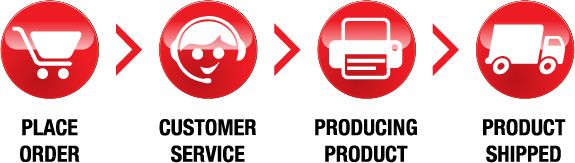
After placing your order for product labels, you’ll receive a unique Live Order Tracking number via email that will allow you to track your product labels every step of the way. Need the current status of your order? Just click the link in the email and get the most recent updates from our dynamic Live Order Tracking system.
Production Time Tables
Our flexible production times range from one to five business days. This allows you to make the final decision on when you need your order.
1 Business Day Priority:
Timelines can be tight. That's why we offer this zippy one day turnaround option.
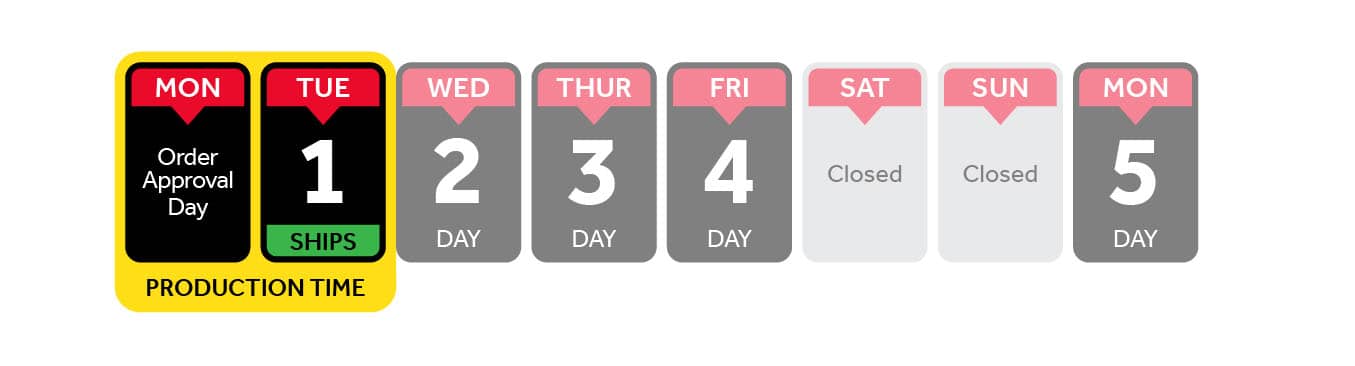
- Orders approved after 5:00 PM CST will be processed the following business day,
- Emergency/same day rushes are available in some cases, Please speak with a customer service representative today for more information,
- Note: The time it will take to receive your product includes the production time as well as the shipping time.
- Turnaround starts from the time the file upload is complete. If an order is flagged in our prepress department or a proof is requested awaiting approval, turnaround starts from the time the approval is given.
2 Business Days Express:
Have an extra day, but still need your products quickly? The express option is ideal for you!
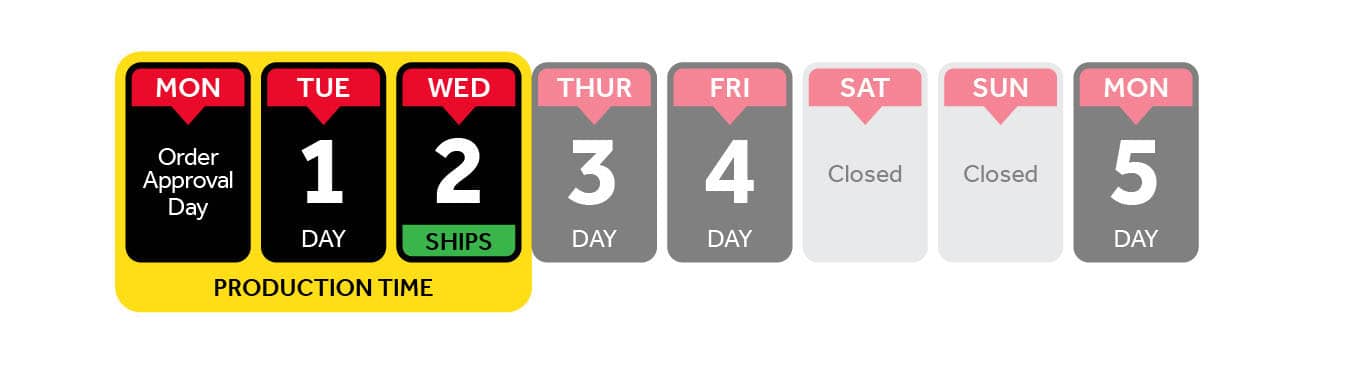
- Orders approved after 5:00 PM CST will be processed the following business day,
- Emergency/same day rushes are available in some cases, Please speak with a customer service representative today for more information,
- Note: The time it will take to receive your product includes the production time as well as the shipping time.
- Turnaround starts from the time the file upload is complete. If an order is flagged in our prepress department or a proof is requested awaiting approval, turnaround starts from the time the approval is given.
3 Business Days Standard:
This is our most popular fast turnaround option. Free and speedy enough for almost any custom order.
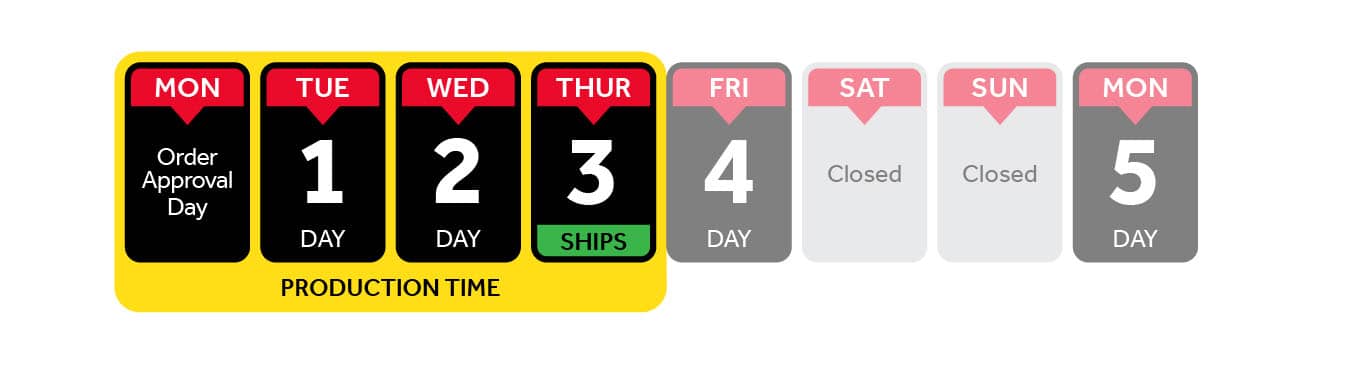
- Orders approved after 5:00 PM CST will be processed the following business day,
- Emergency/same day rushes are available in some cases, Please speak with a customer service representative today for more information,
- Note: The time it will take to receive your product includes the production time as well as the shipping time.
- Turnaround starts from the time the file upload is complete. If an order is flagged in our prepress department or a proof is requested awaiting approval, turnaround starts from the time the approval is given.
5 Business Days Saver:
If you’re not in a rush, then you can save some money by choosing our 5 Day Saver option.
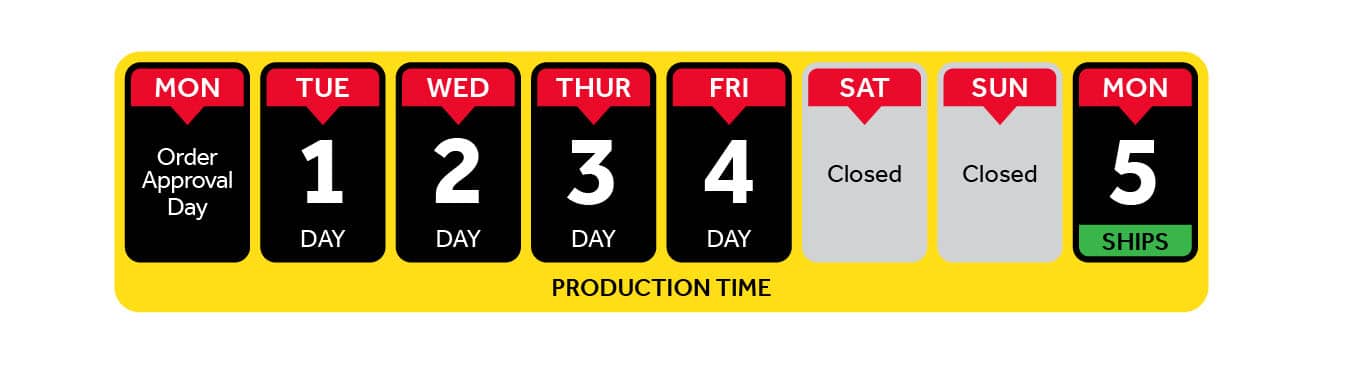
- Orders approved after 5:00 PM CST will be processed the following business day,
- Emergency/same day rushes are available in some cases, Please speak with a customer service representative today for more information,
- Note: The time it will take to receive your product includes the production time as well as the shipping time.
- Turnaround starts from the time the file upload is complete. If an order is flagged in our prepress department or a proof is requested awaiting approval, turnaround starts from the time the approval is given.
Die Cut Labels VS. Kiss Cut Labels
The main differences between these two cut options, comes down to the paper backing on each label.
For a more elaborate explanation, please visit our helpful blog article Die-cut vs Kiss-cut: A Simple Guide.
Die-Cut
Die-cut means that we are cutting through both the vinyl label material and the paper backing. This cut type doesn't leave any material around the sticker. Another way to look at it is to think of it like a "cookie cutter." Your labels are all individually cut out to the contour of your design, so you have individually cut labels with no paper material around the design.
* Please note – Back Slit (Crack and Peel) is only available on our Standard and Permanent material options *
Kiss-Cut
Kiss-cut means we are only cutting through the vinyl layer ("label material") and not cutting through the paper backing, leaving a paper material border around your label. When you choose a kiss-cut label, you will have extra material around your label for easy peeling.
Custom Product Labels Artwork Specifications
Preferred Files for Printing
The maximum file size we accept is 100 MB. Our preferred file types are:
- Adobe Illustrator EPS (Encapsulated Post Script)
- PDF (Adobe PDF)
When submitting these files, make sure you convert all fonts to outlines or curves to ensure they print correctly and the fonts are not substituted.
Additional Files Accepted
- JPG (High Resolution JPEG)
- TIFF (High Resolution TIFF)
- PNG (High Resolution PNG)
File Tips
- Set up size proportionate to the exact size product you are ordering
- Convert all text to outlines
- Only Allow for bleed if necessary
- Never flatten/merge layers in a PSD file
- Indicate the cut line clearly for all decal products
Vector Art
Vector art consists of lines and curves that are mathematically defined objects. When viewing art in key line mode you can see the points or vectors when connecting your lines and curves. They can also be seen when using the pen tool or editing the points along a path. Vector art is ideal for type and drawn shapes because they can be enlarged to any size while maintaining crisp outlines and details without sacrificing quality. The distance between the vectors is calculated mathematically and is not dependent upon resolution.
Raster Art
Raster images consist of colored squares, called pixels. They are created by combining a series of various colored pixels. Digital photographs are made up of pixels. If you view a raster image at 200% or more you are able to see the individual pixels that make up the image. Raster images are dependent upon resolution so image enlargement is limited by the individual size at which the file was created. If a file is produced at a size that is larger than its resolution will allow, the quality will decrease. Printing a low resolution file will result in pixelation. Individual pixels are large enough to be easily discernable. Increasing the resolution will not solve this problem is there are not enough pixels to begin with. The program will add more pixels based upon the estimation of their location and will then assign their neighboring pixels's color value. This may cause an image to look muddy.
If submitting these files, please follow the guidelines below:
- 100% scale (full size output) at 100 dpi
- 50% scale at 200 dpi or higher
- 25% scale at 300 dpi or higher
- 10% scale at 600-1200 dpi recommended
Design Services
If you are not able to provide us with a good quality image, we do have a vectorizing/recreating service available. Most logos or images can be recreated for as little as $15; however images with more detail are subject to quoting prior to vectorizing the image. Please contact a sales representative for more details.
This service needs to be paid for in advance of us printing your order. We will keep your recreated vector artwork on file for you to use on all future orders.
Releasing the recreated vector artwork to you for personal use can be done for an additional cost.
Shipping
- You can expect your Decals.com order to arrive within 2 - 4 business days (after production time) to 90% of the United States.
- Unless otherwise specified, at the time of ordering, your custom product labels will ship via UPS Ground.
- If you have any questions about shipping rates or rush production, please contact our friendly Customer Service Representatives at (320) 391-5250 prior to ordering.
- You will receive a tracking number once your package has shipped.
- To read more about our shipping information visit our shipping policy page.
Shipping Methods:
- Economy (5-15 Days)
- Standard (3-5 Business Days)
- Three Day (3 Business Days)
- Two Day (2 Business Days)
- Overnight (1 Business Day)
Important Economy Shipping Notes:
- If choosing economy shipping, please include additional postal information such as your P.O. Box in the "Address Two" field on the checkout page to help ensure delivery.
- Using economy shipping can also add an additional 5 - 10 days, depending on where the package is being shipped to.
National and International Shipping Notes:
- Decals.com ships throughout the United States and Internationally.
- All international shipments must have shipping labels as well as customs documentation provided by the customers. We will only accept international shipping labels from the following carriers, USPS and UPS.
- Contact a Customer Service Representative at (320) 391-5250 for more information.